

Couple photo widget app · Free on iPhone and Android
The couple widget that puts your partner on your home screen
HeartTap is a couple photo widget app. Send a photo, a video or a hand-drawn note and it appears on their home screen in seconds, no app to open and no feed to scroll. Then go deeper with a live shared canvas, daily check-ins and over 2000 questions worth actually answering.
Links with your partner in about a minute. No public profile, no followers.
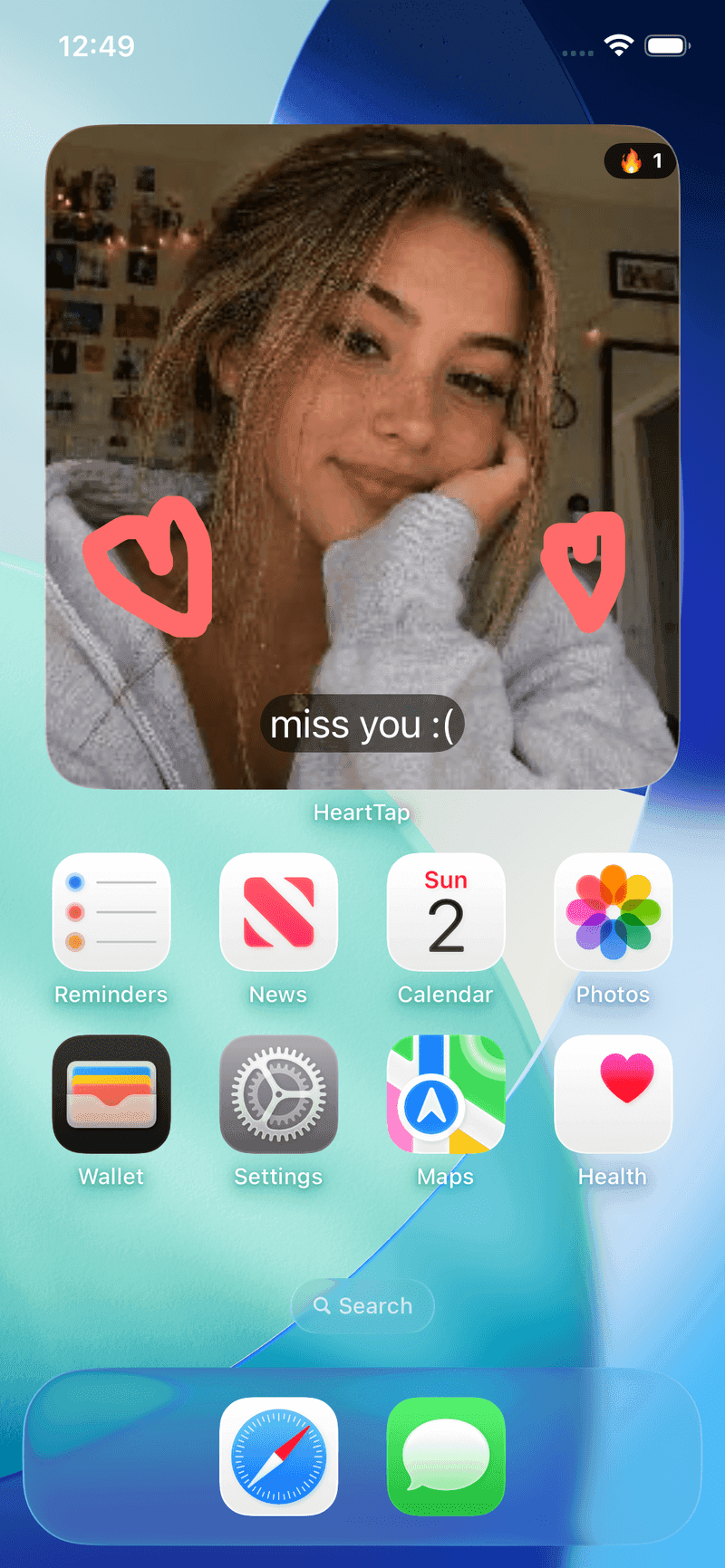
They see it without opening anything
The widget sits on the home screen they already check a hundred times a day.
Works across iPhone and Android
One of you on iOS and one on Android is fine. Everything syncs both ways.
Private by design
No feed, no followers, no discovery. What you send goes to one person.
Four ways to stay close when you are apart
The widget is the front door. Behind it is everything that makes the day to day of a relationship feel tended to rather than assumed.
A status widget they cannot miss
Post a photo, a short video or a plain colour with a caption, and it lands on your partner’s home screen and lock screen. No feed, no algorithm, no waiting for them to open an app. They just pick up their phone and you are there.
How the status widget worksDraw together, live, on one canvas
Open the shared canvas and you both draw at the same time, stroke by stroke, in real time. Send the finished doodle to their widget or leave it as a note in your timeline. It is the closest thing to passing a scrap of paper across a room.
See the shared canvas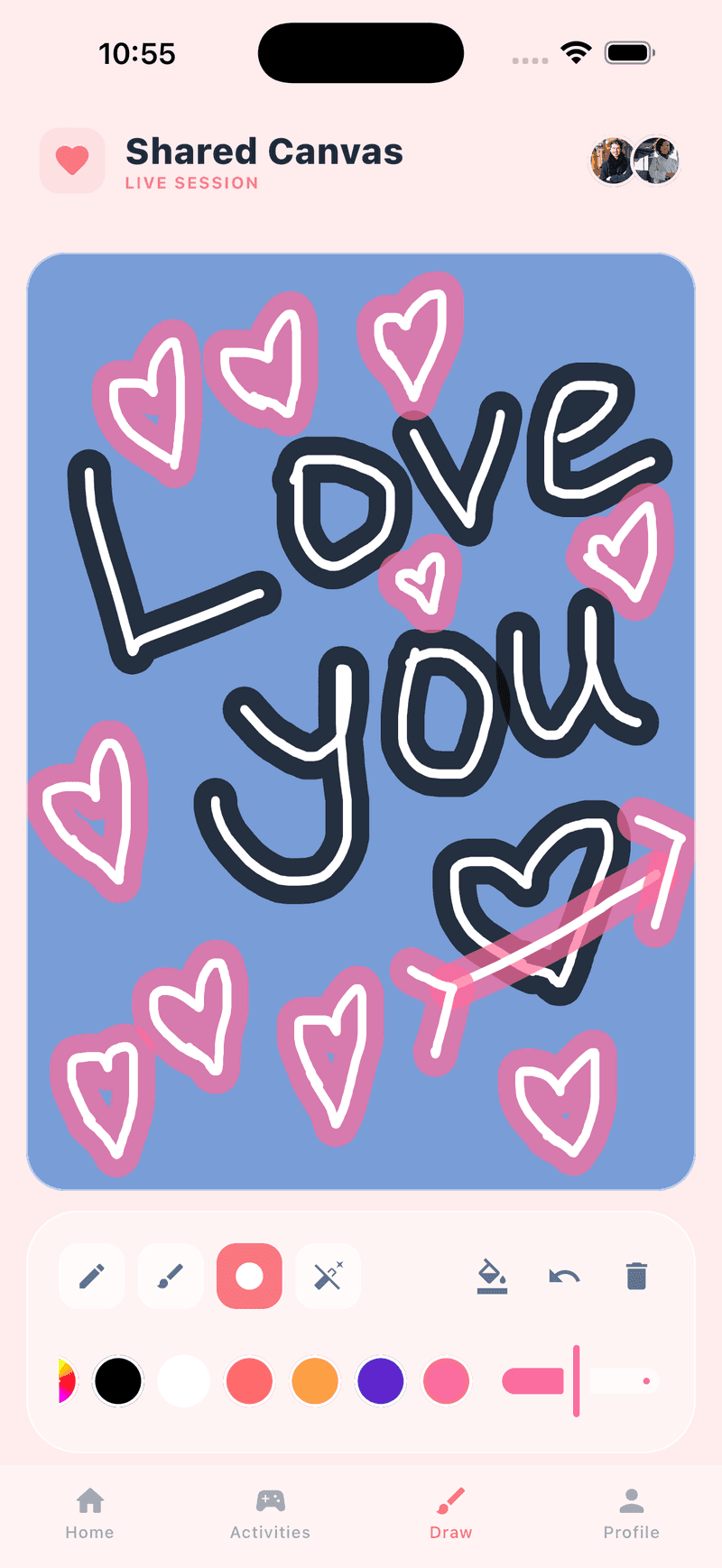
2000+ questions, answered in private first
Pick a question and answer it honestly. Turn on Reveal after partner answer and neither of you sees the other’s reply until you have both written yours, so nobody edits themselves to match. Categories run from light and flirty to genuinely deep.
Browse questions for couples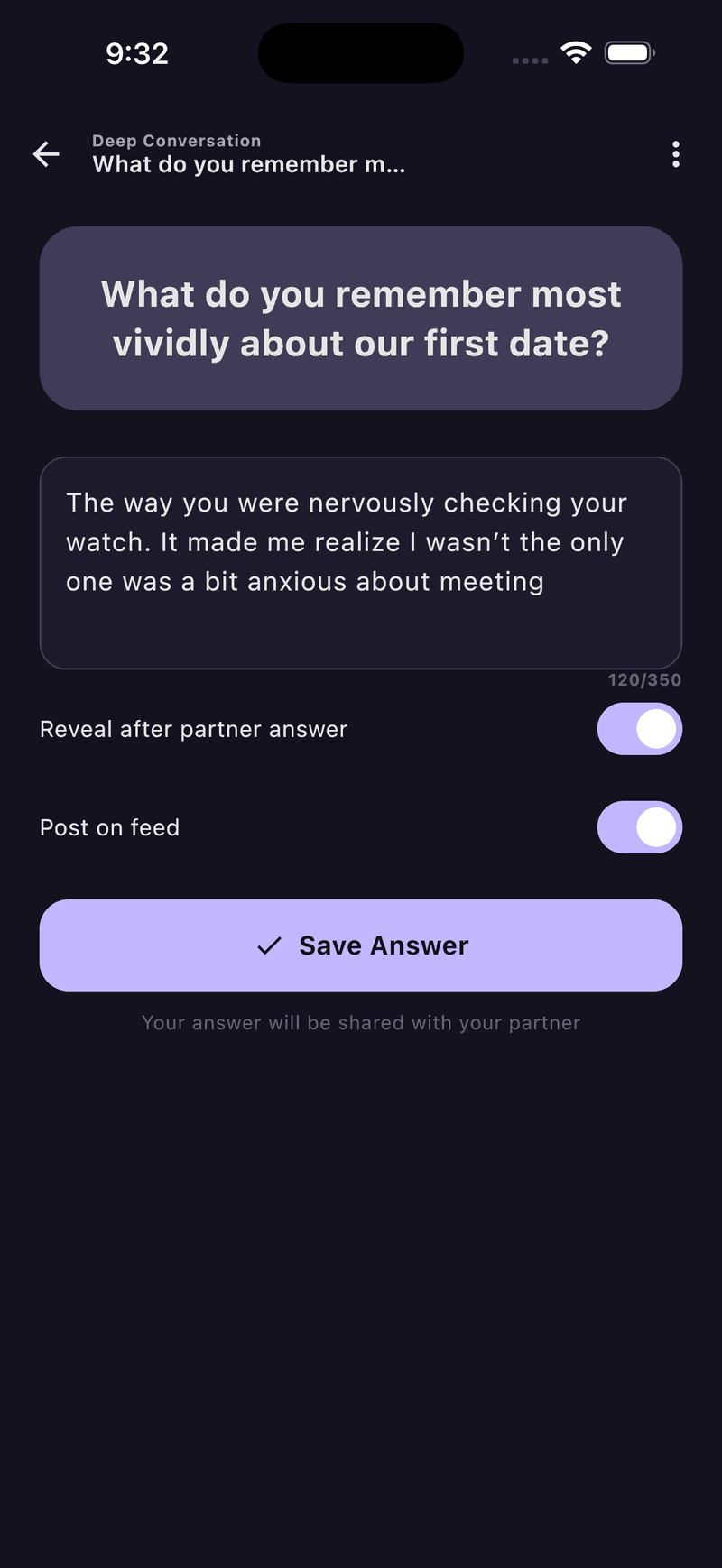
A daily check-in that actually gets used
Three prompts at the end of the day: what made you smile, what went wrong, and how the day felt overall. Small, honest, two minutes. It catches the things that would otherwise go unsaid until they turn into something bigger.
About daily check-ins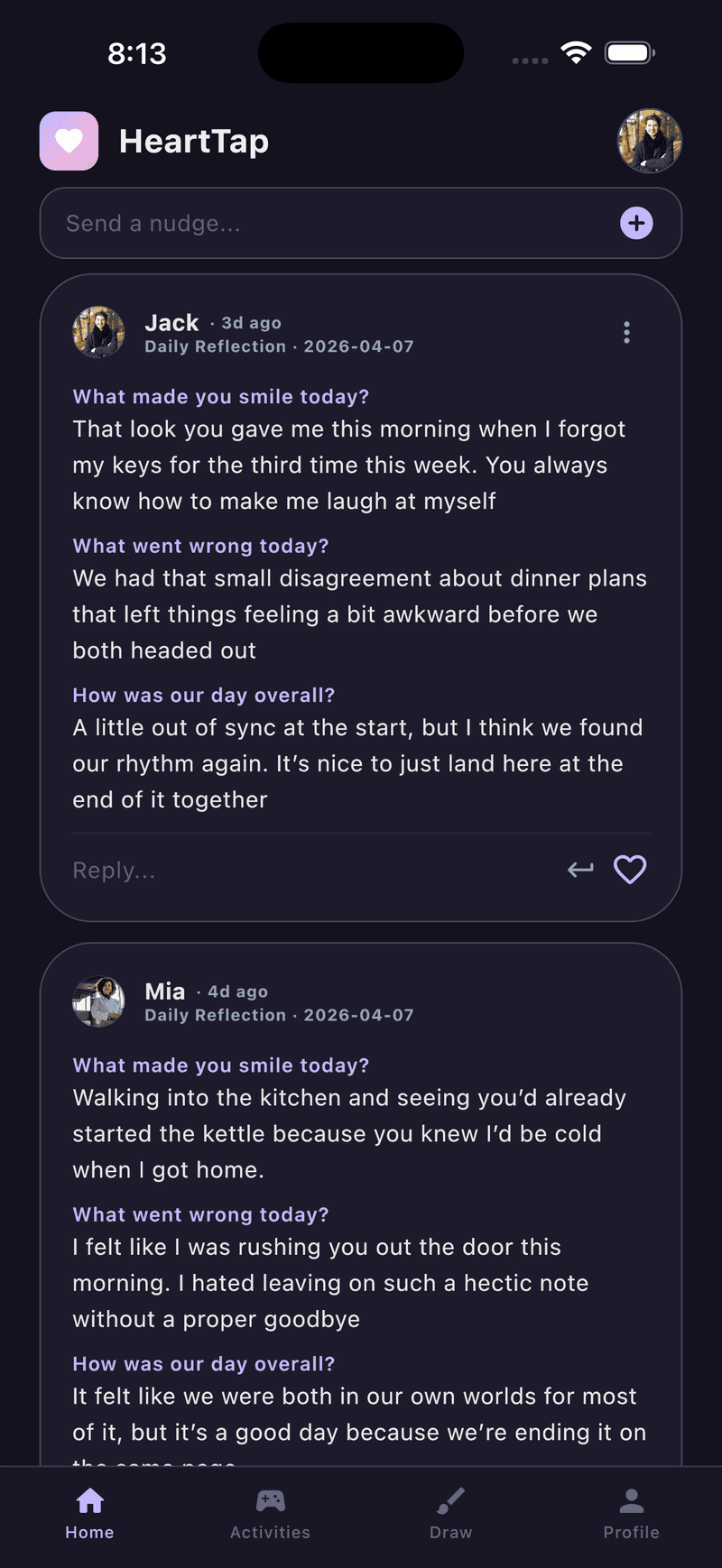
Mixed phones
One of you on iPhone, one on Android? That is fine here.
Plenty of couple apps reach Android eventually, but often as a second build that trails the iOS one on features. HeartTap ships from a single shared codebase to both stores, so the widget, the shared canvas, the questions and the check-ins behave the same way on each side and sync in both directions.
Read how cross-platform worksStart here
What is a couple widget?
How home screen widgets for couples work, and what to look for in one.
Questions to ask your partner
Over a thousand questions grouped by mood, stage and situation.
Add a widget on iPhone
The exact taps to get a photo widget onto your home screen.
Add a widget on Android
Same thing for Pixel, Samsung and everything else running Android.
Long distance relationships
What actually helps when you are in different cities or time zones.
Best couple widget apps
An honest look at the field, written by people who ship one.
Ideas for couples
Things to draw, notes to send and what to post when the widget goes quiet.
Everything HeartTap does
The widget, the shared canvas, questions, check-ins, promises and streaks.
Free tools
A random question generator and a days together calculator.
Popular question sets
1114 questions across 20 sets, free to read without installing anything.
Deep questions to ask your partner
Sixty questions that go past the surface, sorted from gentle to genuinely searching.
Questions to ask your boyfriend
Sixty questions sorted by mood, from the ones that work over text to the ones that need a quiet evening.
Questions to ask your girlfriend
Sixty questions grouped from playful to serious, with notes on when each set actually works.
Would you rather questions for couples
Sixty forced choices, from silly to genuinely revealing about what someone values.
This or that questions for couples
Sixty quick two-way choices, from breakfast to how you want to live.
Long distance relationship questions
Fifty-eight questions for couples in different cities or time zones, including the practical ones most people avoid.
All question sets, or let the question generator pick one for you.
Frequently asked questions
Does HeartTap work between an iPhone and an Android phone?
Yes. HeartTap is built from one shared codebase and ships on both the App Store and Google Play, so an iPhone and an Android phone can link and everything syncs between them. Widgets, drawings, questions and check-ins all work in both directions, with the same features on each side rather than a full iOS app and a cut-down Android one.
Is HeartTap free?
HeartTap is free to download and free to use every day. There are daily limits on some actions, and a subscription lifts those limits and unlocks the full question library. You do not need to pay to link with your partner or to use the widget.
How do we link our two phones?
One of you sends an invite link from inside the app and the other opens it. That is the whole setup. Once you are linked, anything you post appears on your partner’s widget within seconds.
Can I put HeartTap on my lock screen as well as my home screen?
Yes. HeartTap offers home screen widgets in several sizes and lock screen widgets on both platforms. Most couples keep a large photo widget on the home screen and a small one on the lock screen.
Who can see what we post?
Only the two of you. HeartTap has no public feed, no followers and no discovery surface. Everything you send goes to your partner and nowhere else.
Does my partner get a notification when I post?
Yes, and the widget updates on their phone as well, so it works even if they have notifications turned off. The widget refreshes on its own in the background.
Put them on your home screen tonight
Free to download on iPhone and Android. Link with your partner in under a minute, then send your first photo, drawing or check-in.